PSO2 & NGS Modding Tools
Portable tools to preview & swap animations, adjust costume layers, replace in-game videos, and customize character voices.
🎬 PSO2 Animation Viewer
Preview any in-game animation (Emotes & Motions) in 3D and swap them directly into your game.
How to Use
Live 3D viewport playback and in-game animation replacement demo.
👗 CMX Helper Tool
Enables jackets over outfits that normally don't support them, and toggles hidden ornamentation layers.
How to Use
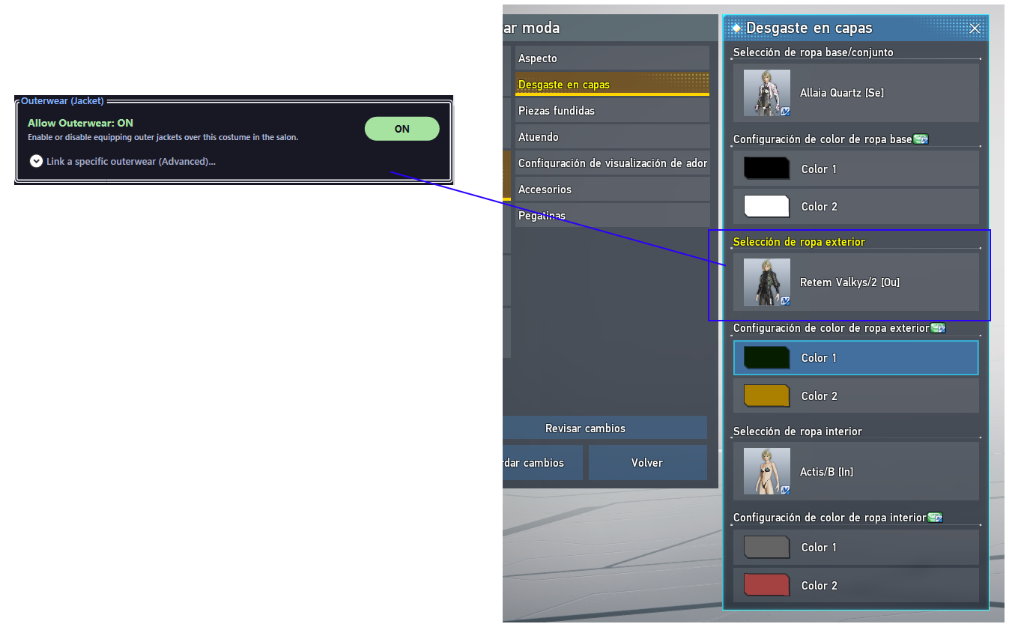
1. Enable outer jackets over base costumes in Salon.
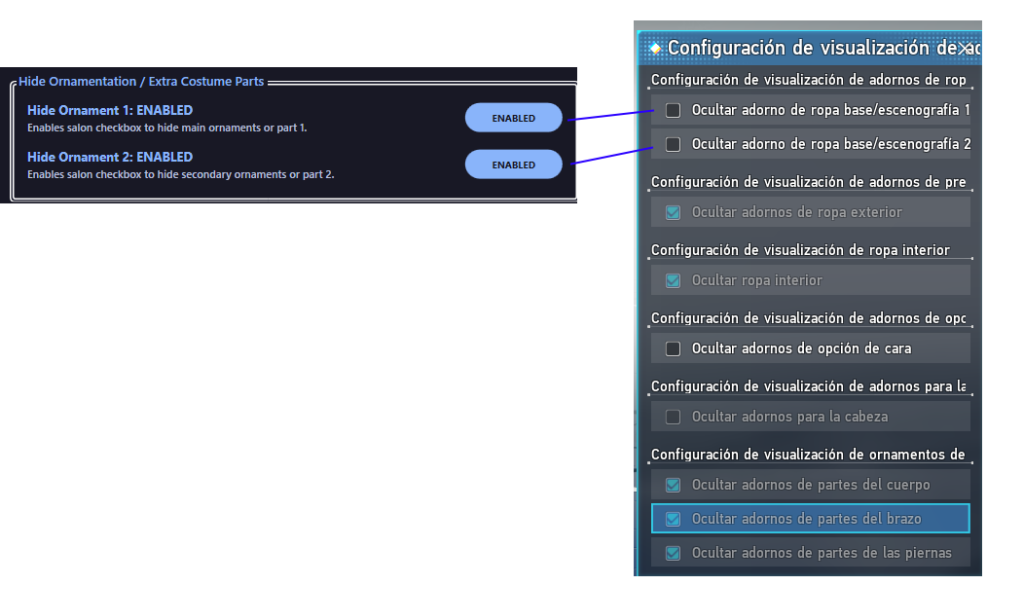
2. Toggle and hide clothing ornamentation parts.
🎙️ PSO2 Voice Modifier
Customize and replace in-game character voices with your own custom audio tracks (MP3, OGG, WAV).
How to Use
Live voice replacement in-game demonstration.
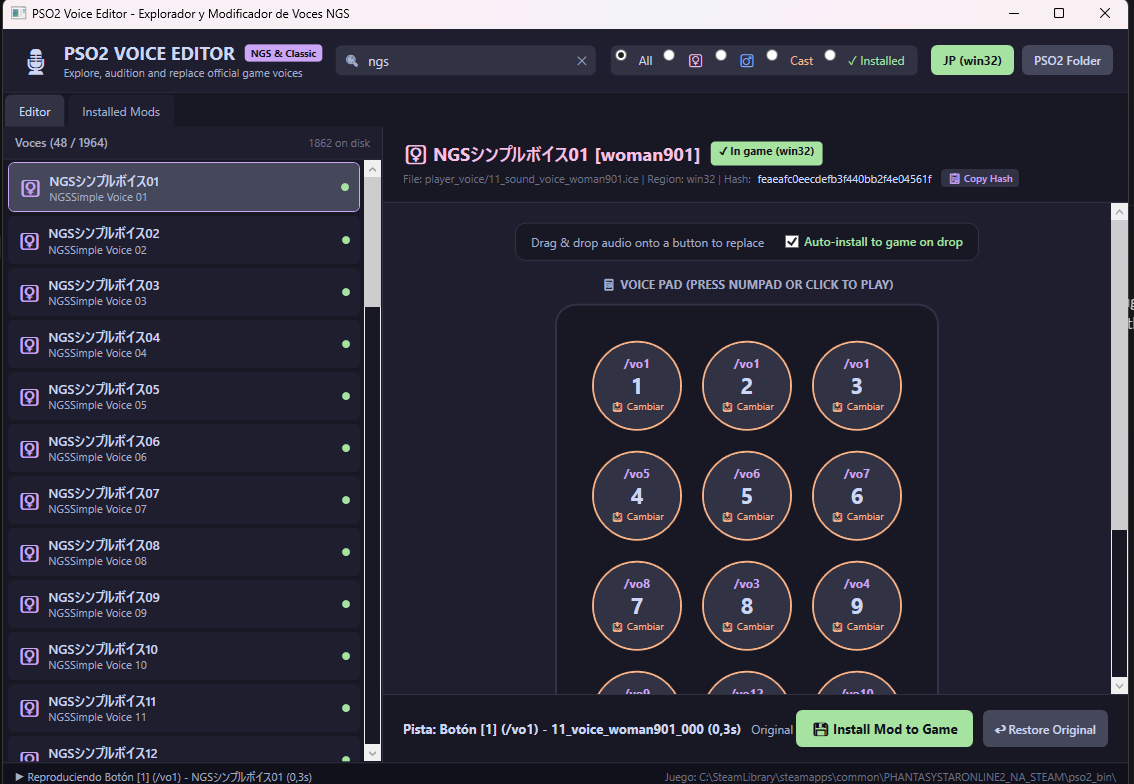
1. Voice selection and language assignment panel.
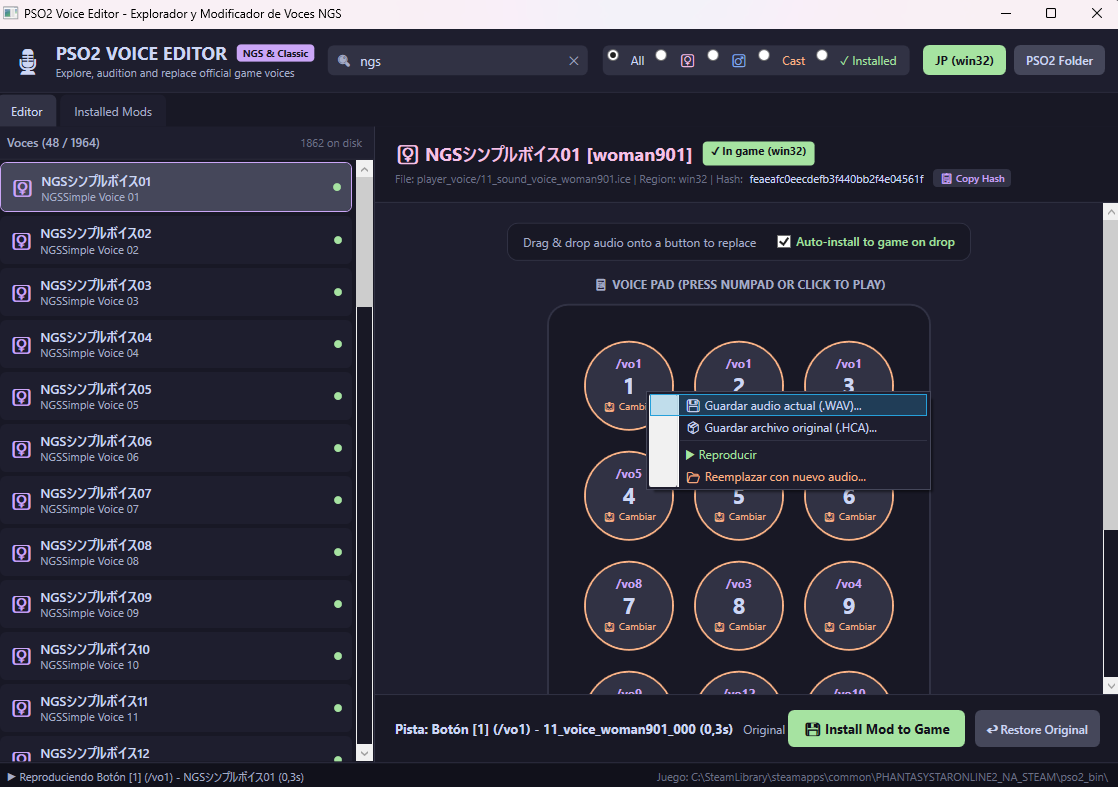
2. Save and load custom audio presets.
📺 PSO2 Video Studio
All-in-one video modding and customization suite for Phantasy Star Online 2 (Classic & NGS). Replace cutscenes, lobby monitors, openings, and create multi-screen composite textures with SEGA CRI USM encryption.
- View & Play: Play any internal video from the game (openings, cutscenes, concerts, lobby monitors).
- Drag & Drop Replacement: Replace any video with your own files (.mp4, .avi, .mkv, etc.) with automatic resolution & profile matching.
- Multi-Screen Collage: Build coordinated multi-screen mosaic textures for lobby and command bridge displays (monitor_commander_001 & monitor_shop_001).
- Multi-Version Management: Keep multiple versions for each mod, disable/enable, toggle between versions, or restore the original SEGA video with one click.
- Pack & Share: Package and install ready-to-share .zip mods for the community.
- Automatic Integrity Bypass (SpecialIce): Automatically ensures modded files load properly in-game without being reverted or ignored by the official launcher.
How to use each tab
Purpose: A complete catalog containing all 780+ PSO2 and NGS internal video files, organized by internal name, folder, and in-game purpose.
How to use it:
- Search & Filter: Use the search bar or the Classic / NGS filter buttons to find any video (e.g.
ui_title_loop_01.usmfor the title screen loop). - Preview: Click on any video in the list to watch and listen with synchronized video and audio playback.
- Replace Video (Instant Modding): Simply drag & drop your video file (.mp4, etc.) directly onto the video player area. The application automatically detects the profile and resolution, encodes & encrypts with SEGA keys, backs up the original video, and injects it into the game with an immediate preview.
- Extract Video: Click this button to export an original game video to your PC as .mp4 or .usm.
Demo: Replace and install in-game videos instantly via Drag & Drop.
Purpose: Manage all currently modded videos in your client, keeping multiple alternatives and revision history without losing any files.
How to use it:
- In-Game Version (Version Dropdown): If you replace a video multiple times (e.g. Video A, Video B, Video C), they are saved as Version 1, Version 2, etc. Select which version you want active in-game directly from the dropdown.
- Disable Mod / Enable Mod: Temporarily disable the mod to play the original SEGA game video without deleting your mods, or re-enable it with a single click.
- + Save Version: Saves the currently active in-game video as a new version snapshot.
- Delete Version: Permanently deletes the selected version. If you delete the last remaining mod version, the game automatically restores the original SEGA video.
- Uninstall Mod: Fully uninstalls the mod, removes all stored versions and backups, and restores the original video to 100%.
- Export Mod / Export All: Exports one or all active mods into a distribution-ready .zip archive.
- Bypass (SpecialIce): Displays the checksum bypass status (Bypass: OK). If outdated or missing, click it to install it with one click.
- Deep Scan: Performs an asynchronous background scan across your game drive to locate any external or manually placed mod backups without freezing the UI.
Demo: Manage versions, toggle mods on/off, and restore original videos.
Purpose: Easily install mod packs shared by other community creators.
How to use it:
- Drag and drop any .zip file into the dashed drop area (or click Browse ZIP).
- The application scans the archive and lists all detected mod files.
- Check the boxes for the videos you wish to install.
- Click "Install Mod Package into Game". It will automatically back up your original files, place the modded videos into their exact subdirectories, and guarantee the checksum bypass is enabled.
Purpose: Design composite in-game monitor textures by combining several videos into a single coordinated display matching the game's 3D UV mapping:
monitor_shop_001: A 4-screen 2x2 grid layout used for lobby shopping kiosk screens.monitor_commander_001: The giant curved command bridge screen, joining 6 video feeds: 4 horizontal monitors and 2 vertical side monitors (which are automatically rotated 90° to match the texture map layout).
How to use it:
- Select your target monitor template (
monitor_shop_001ormonitor_commander_001). - Drag and drop individual videos from Windows Explorer directly onto each slot box (Slot 1, Slot 2, Slot 3, etc.).
- Configure the output duration (shorter videos loop automatically until reaching the target length) and select which audio feed to retain.
- Click "Play Realtime Preview" to inspect a live simulation of all videos animating together.
- Click "Generate & Install Mod into Game" to compile the video into the official PSO2 format and inject it straight into your game.
Demo: Multi-Screen Studio - Merge and synchronize multiple videos into complex monitor textures.